 Tharasu
A little more clarity. Every day.
Your shop.
In your pocket.
Billing, stock, udhar and business insights—all together on your phone.
Change the phone view
01 / Do the daily work
One day’s work.
One connected record.
Keep your bills, recorded stock and customer udhar connected.
Make a bill. Keep the record.
Choose products, enter quantities and record the payment. Find the saved bill when you need it.
A sale reduces stock where a quantity is recorded. Link any unpaid balance to a customer.
Record payments you receive. Tharasu AI does not move or verify the money.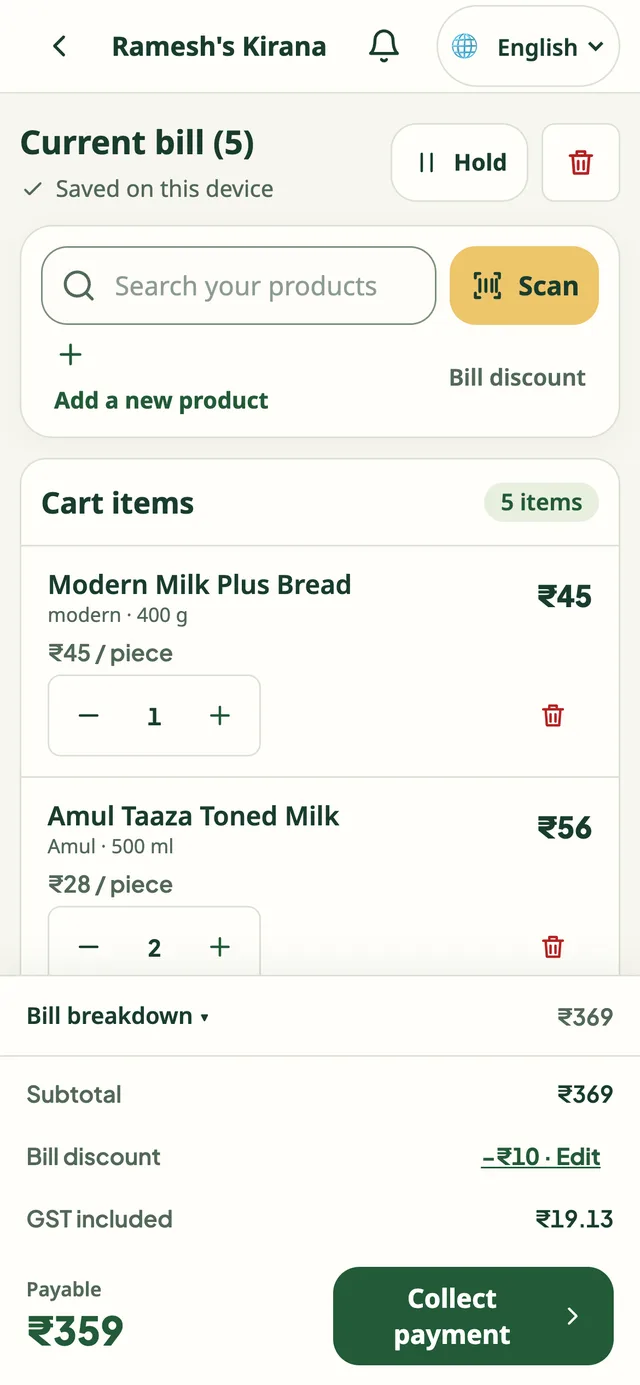
02 / Understand the business
Run your shop.
Know your business.
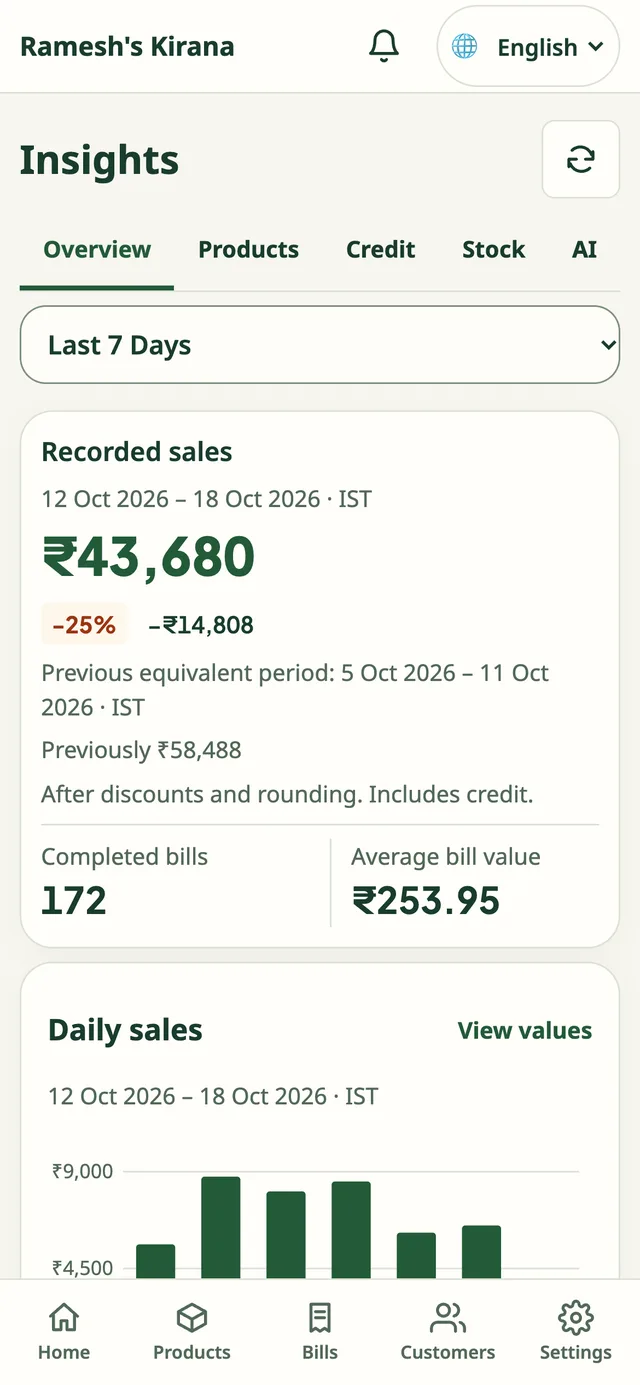
See what your shop has recorded: sales over time, products sold, customer dues and stock quantities.
Which items are moving?
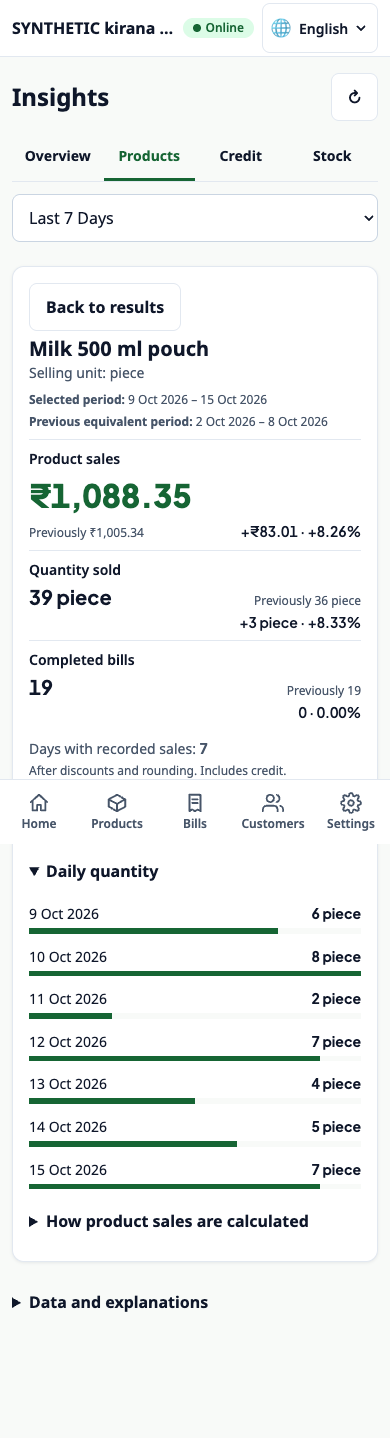
See how much of a product you sold and compare periods before deciding what to check or reorder.
What the numbers can tell you
Reports depend on what you record. They do not confirm shelf stock or bank payments. Sales comparisons need recorded activity. The screenshots use separate sample records.
03 / Decide what to check next
Know what
needs attention.
Spot things worth checking in your shop’s records. You decide what to do next.
Some customer udhar has remained unpaid for longer.
Open the customer accounts and bills behind the amount.
Check the details, then choose whether to follow up.
An example from the app
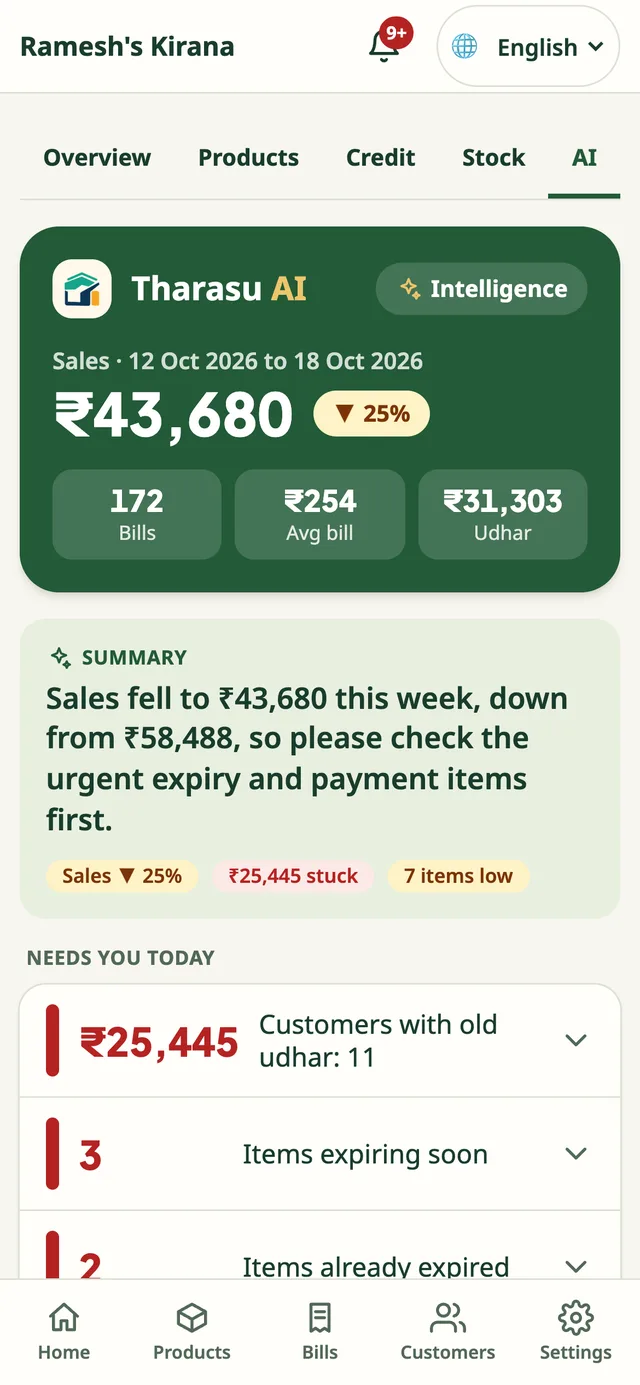
In these sample records: ₹25,445 in older udhar across 11 customers. It is a prompt to review the accounts, not a prediction or an automatic collection.
What else belongs in this view?
Recorded low stock and important sales changes appear here too. Checks depend on your shop’s records. They help you investigate; they do not make business decisions for you.
04 / Work your way
On your own.
Or with your team.
Manage the shop from your own phone. If you have staff, give them access for their work using the same shop records.
How access is organised
- Staff: everyday billing and recorded payments.
- Manager: product and stock work, and shop bills.
- Owner/admin: customer accounts, business reports and team access.
Each person’s role controls their access. Business reports are for the owner/admin.
05 / Make it your shop
Start with the basics.
- 01
Verify your phone
Sign in to the app with your mobile number and a one-time SMS code.
- 02
Set up your shop
Add your shop details. Configure tax details if they apply.
- 03
Add your products
Record prices and known stock quantities, then begin billing.
Plan for an internet connection. Bring your product prices and any opening stock or customer balances you want to record.
A conversation about your shop
See it with your
shop in mind.
Talk with the Tharasu AI team about your daily work, setup, devices and pricing.
We’ll call you back. Or reach the Tharasu AI team directly:
Keep exploring